Cron Triggers
Schedule background tasks
If you want to schedule a background task, Cloudflare supports Cron Triggers.
ℹ️ Important: Cron triggers only fire automatically after you deploy to Cloudflare. The local dev server does not schedule jobs for you, but you can still trigger the scheduled cron handler manually (see Testing locally below).
Setup
Within your wrangler.jsonc file, add a new section called triggers:
"triggers": { "crons": ["* * * * *"] }Wherecronsincludes an array of cron schedules.
After updating wrangler.jsonc, run pnpm generate to update the generated type definitions.
Within your worker.tsx file, adjust your defineApp function:
const app = defineApp([
  ...
]);

export default {
  fetch: app.fetch,
  async scheduled(controller: ScheduledController) {
    switch (controller.cron) {
      case "* * * * *": {
        console.log("🧹 Run minute-by-minute cleanups");
        break;
      }
      case "0 * * * *": {
        console.log("📈 Aggregate hourly metrics");
        break;
      }
      case "0 21 * * *": {
        console.log("🌙 Kick off nightly billing at 9 PM UTC");
        break;
      }
      default: {
        console.warn(`Unhandled cron: ${controller.cron}`);
      }
    }
    console.log("⏰ cron processed");
  },
} satisfies ExportedHandler<Env>;
Notice each case matches a cron schedule that must exist in your wrangler.jsonc file:
"crons": ["* * * * *", "0 * * * *", "0 21 * * *"]Testing locally
To simulate a scheduled run in development, hit the dev server's scheduler endpoint and pass the cron expression you want to test:
curl "http://localhost:5173/cdn-cgi/handler/scheduled?cron=*+*+*+*+*"For example, run the following commands to see the above cron handlers in action:
- Every minute:
curl "http://localhost:5173/cdn-cgi/handler/scheduled?cron=*+*+*+*+*" ⏰ cron processed - Every hour on the zero minute:
curl "http://localhost:5173/cdn-cgi/handler/scheduled?cron=0+*+*+*+*" 📈 Aggregate hourly metrics ⏰ cron processed - Every day at 9 PM UTC:
curl "http://localhost:5173/cdn-cgi/handler/scheduled?cron=0+21+*+*+*"
🌙 Kick off nightly billing at 9 PM UTC
⏰ cron processed
Cloudflare Cron Triggers
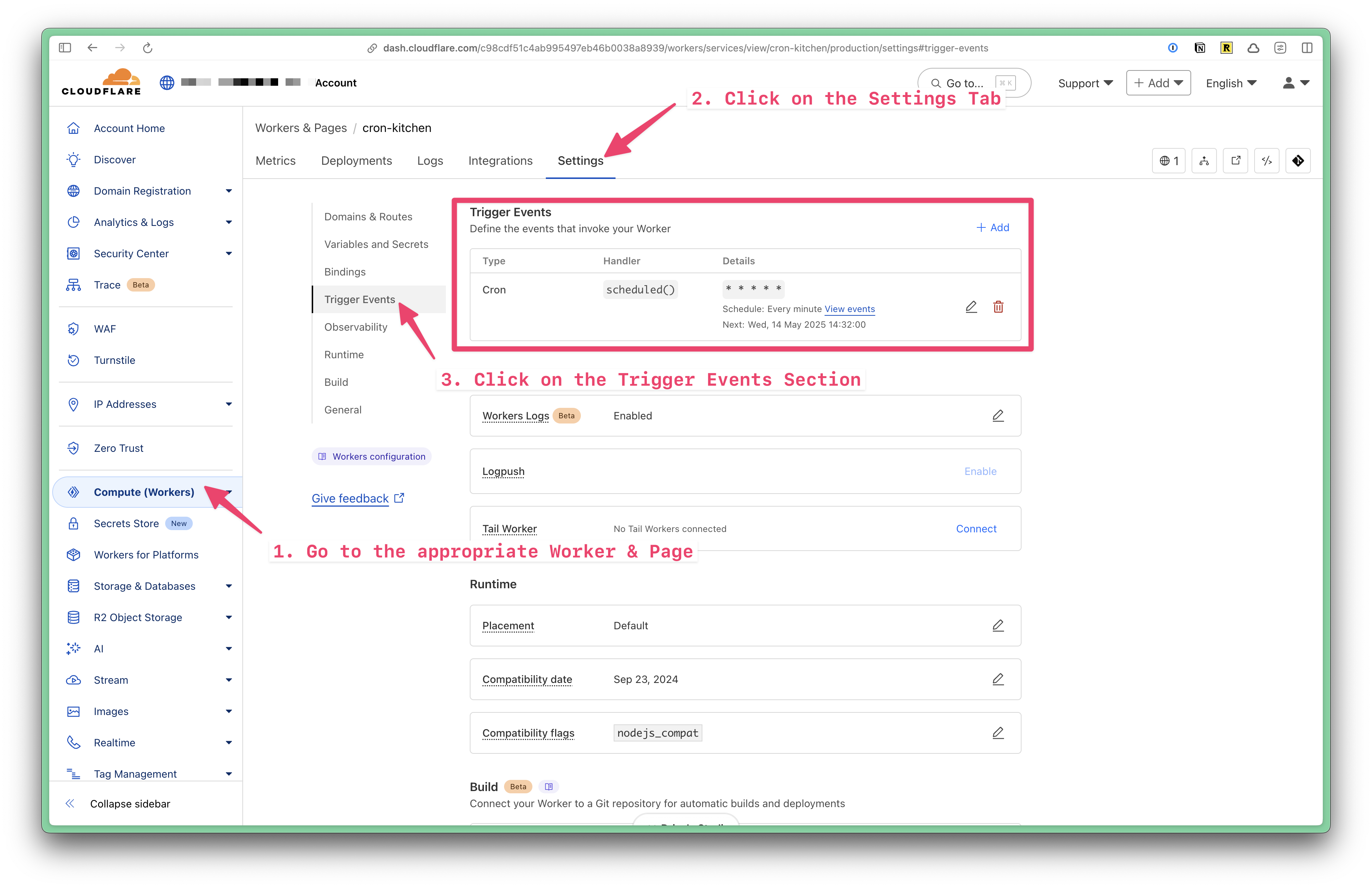
Within the Cloudflare Dashboard UI, you can view all the cron triggers for your worker. Click on the Settings tab, and then click on the Cron Triggers section.
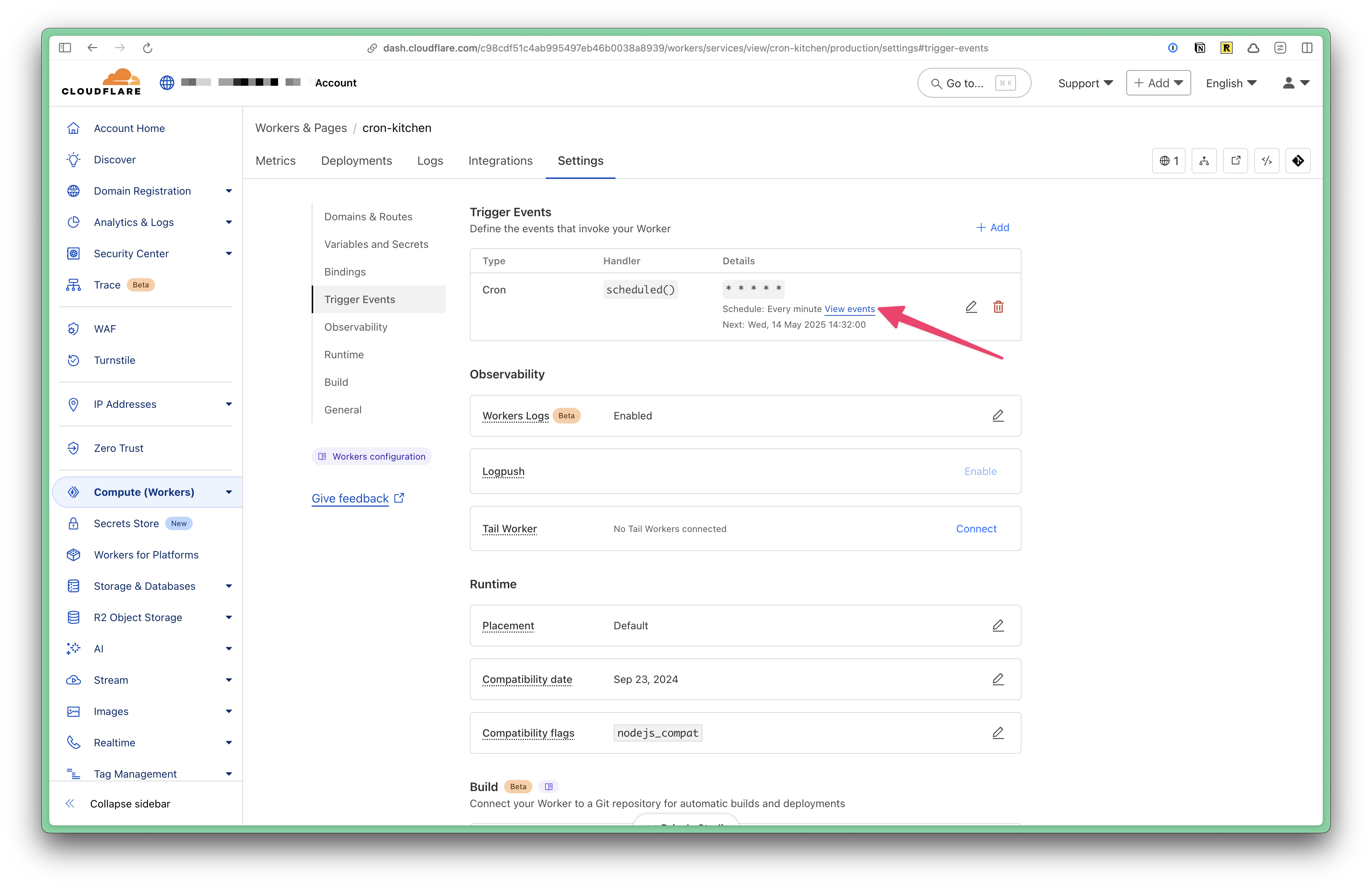
To view more details about the events, click on the View Events link.
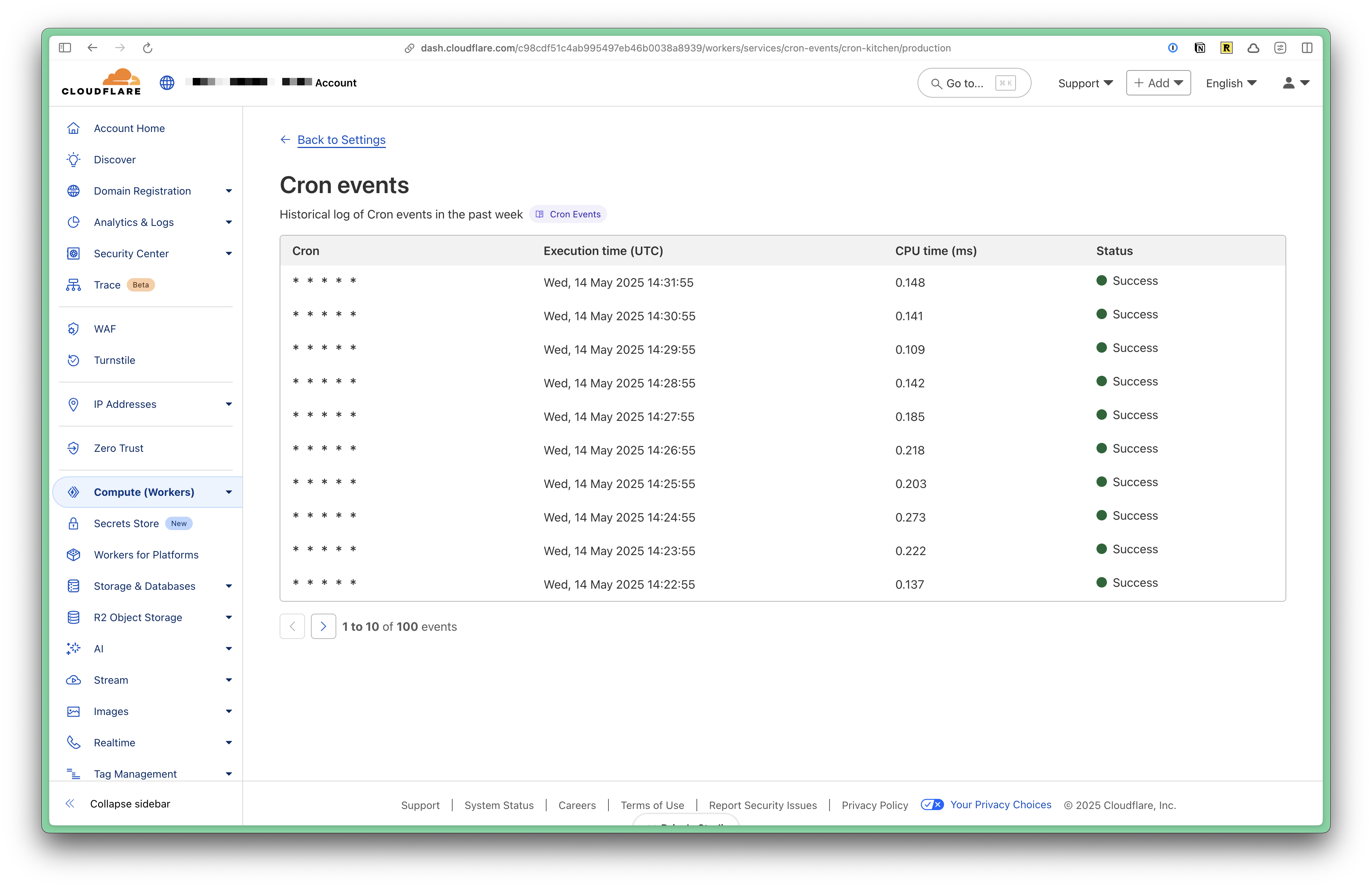
You can see a list of all the events that have been triggered for your worker.